
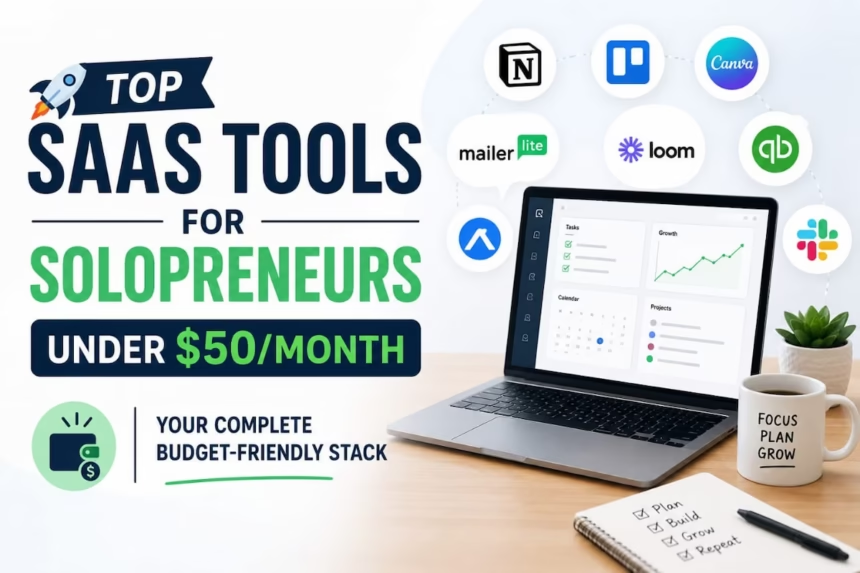
Quick Answer: When you are running a solo business, every dollar spent on tools is a personal decision. The question is not what the cheapest SaaS tools for solopreneurs are; it is which delivers real results without draining your budget. Our editorial team evaluated more than 30 SaaS tools based on pricing, ease of use, integrations, free plan quality, support, and scalability. The result is a curated stack of seven tool categories that covers everything a solopreneur needs for under $50 per month, with most of the essentials available completely free.
How We Tested These Tools
Not every tool that claims to be “built for solopreneurs” actually is. Here is the methodology we used to separate the genuinely useful from the overhyped.
We evaluated each tool across eight criteria:
Ease of Use: Could a non-technical solo business owner set it up in under 30 minutes without watching tutorials?
Pricing Transparency: Were the free tier limits clearly stated? Were upgrade paths fair and predictable?
Integration Quality: Does it connect with the other tools in a typical solopreneur stack without requiring a paid Zapier account?
Customer Support: How fast and helpful was the support team when we hit problems?
Free Plan Quality: Is the free tier genuinely useful or artificially limited to force upgrades?
Scalability: Does the tool grow with you from $0 to $100K revenue without forcing a platform switch?
User Reviews: What are real users saying on G2, Capterra, and Trustpilot? We weighted reviews from verified solo business owners and freelancers most heavily.
AI Features: Does the tool incorporate AI in a way that saves real time, or is it a marketing label on basic automation?
Tools that scored well across all eight made this list. Tools that scored well on only two or three did not, regardless of how popular they are.
Why Solopreneurs Need the Right Tools (And Why Budget Matters)
Here’s the reality: You’re wearing five hats.
If you’re spending 3 hours a week doing admin work that a tool could do in 10 minutes, you’re burning $150-$500 in lost revenue every month (depending on your hourly rate). One good tool pays for itself in days.
The math: If you bill $100/hour and a $10/month tool saves you 1.5 hours monthly, you’ve hit break-even. Anything beyond that is pure profit.
Most solopreneurs operate on a lean margin. The best productivity tools for solo business owners are the ones that solve your single biggest bottleneck first.
According to data from Flowlu’s 2026 solopreneur study, solopreneurs report that the right tool stack increased their productivity by 30-45% while cutting overhead costs by 15-20%.
The catch? You can’t just grab every tool. You need a curated stack. The best SaaS tools for solopreneurs play well together, solve real problems, and grow with you
The Budget Framework: How Much Should You Actually Spend?
Tier 1 (Bootstrapping): $0-$15/month
Free tools + one small paid upgrade. Perfect for launching or testing ideas.
Tier 2 (Lean & Mean): $15-$30/month
3-4 focused tools covering essentials: invoicing, project tracking, email, and one automation layer.
Tier 3 (Professional): $30-$50/month
5-6 tools, including marketing, client management, and advanced automation. Most growing solopreneurs land here.
Most of the SaaS tools under $50 per month covered in this guide fall into this tier, and combined, they deliver results that would have cost thousands per month just five years ago
Above $50/month:
You’re scaling. Consider it an investment, not overhead.
The 7 Best SaaS Tools for Solopreneurs in 2026
1. Invoicing & Accounting (Essential)
This is non-negotiable. You need to know what you’ve earned, what you owe, and what’s coming in.
The best invoicing tools for freelancers are the ones that get paid faster, track income accurately, and require zero accounting knowledge to set up.
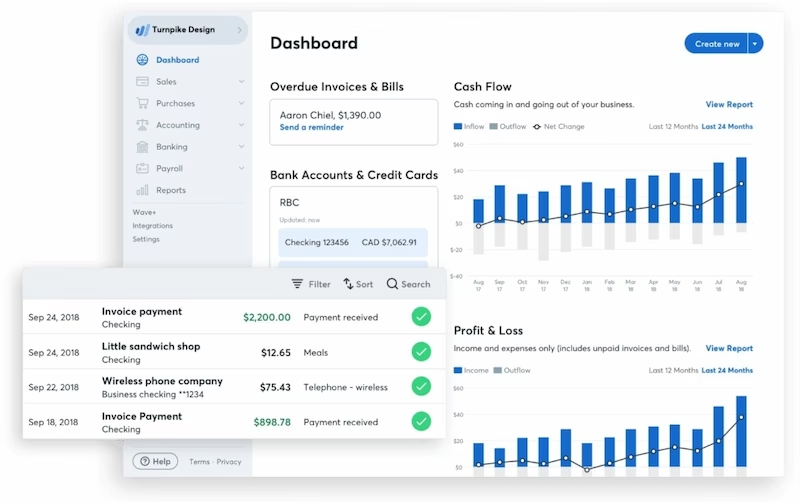
Top pick under $50: Wave (Free-$16/month)
- Why it wins: Free forever invoicing + accounting, 1:1 advice from bookkeeping experts (paid tier), real-time cash flow tracking.
- Best for: Freelancers, consultants, service providers.
- Real example: A copywriter using Wave tracked income from 12 different clients, identified that one client represented 45% of revenue, and negotiated a retainer to stabilize cash flow. The free tool took 20 minutes to set up.
- Cost: Free
Pros:
- Free forever for invoicing and accounting with no hidden limits
- Unlimited invoices and clients on the free plan
- Real-time cash flow tracking built in
- Takes less than 20 minutes to set up from scratch
Cons:
- Payroll feature only available in the US and Canada
- Advanced reporting is limited compared to QuickBooks
- No inventory management for product-based businesses
- Customer support on the free tier is slower than paid
Runner-up: QuickBooks Self-Employed ($9.50-$38/month)
- Powerful for expense tracking, mileage, and tax categorization
- Best if you have complex deductions
- Worth it if taxes stress you out (the automation saves hours)
Budget rule: Spend $0-$20 here. Everything else in your stack depends on accurate financials.
2. Project & Task Management (Essential)
The longer you stay solo, the more projects overlap. You need visibility without clunky management layers.
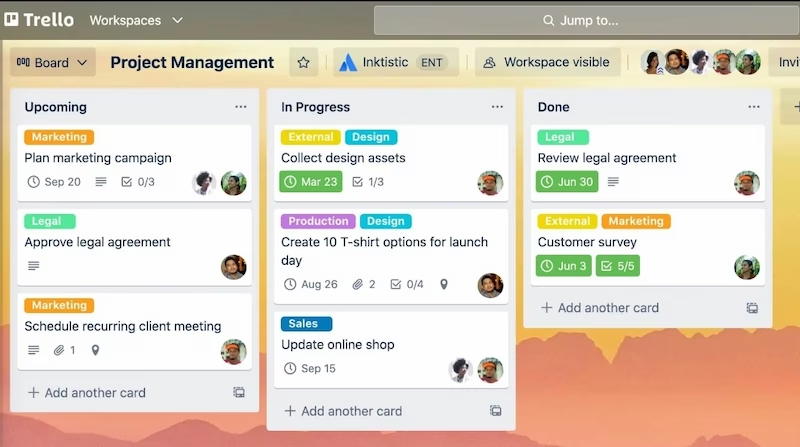
Top pick under $50: Trello (Free-$10/month)
- Why it wins: Dead simple Kanban boards, works for solo projects or tiny teams, integrates with 200+ apps.
- Best for: Visual thinkers, anyone coordinating more than 3 projects simultaneously.
- Real example: A web designer used Trello’s free tier to organize client projects by stage (Discovery → Design → Revision → Delivery). Added checklists for each design phase. When clients asked “where are we?” she could send them a link. Result: 50% fewer “status update” emails.
- Cost: Free (or $10/mo for Premium, worth it if you use Trello daily)
Pros:
- Completely free for individual users with unlimited boards
- Visual Kanban layout is intuitive and requires zero training
- Integrates with over 200 apps including Slack, Google Drive, and Zapier
- Client-shareable boards eliminate status update emails
Cons:
- No built-in time tracking or reporting on the free tier
- Gets messy fast with more than 10 simultaneous projects
- Limited automation on free plan (only 250 actions per month)
Alternative: Asana (Free-$13.49/month for Pro)
- More powerful if you’re juggling dependencies and deadlines
- Better reporting, timeline views
- Slight learning curve vs. Trello
Budget rule: Start with Trello free. Upgrade to Asana or Trello Premium if you hit the limits (usually after 5+ concurrent projects).
3. Communication & Client Management (Essential)
You can’t be reactive with email alone. You need structured client communication + internal notes.
Top pick under $50: Moxie (Free-under $50/month with CRM + invoicing bundled)
- Why it wins: Built specifically for solopreneurs; combines invoicing, CRM, and communication in one place.
- Best for: Service providers (consultants, freelancers, coaches).
- Real example: A consultant used Moxie’s CRM to log every client conversation. When a past client reached out after 6 months, she had the entire history in one place-what they’d tried, what worked, next steps. She closed a $5K project in one conversation because she sounded like she remembered them (she literally did).
- Cost: Included in bundled plans; starts around $9-$25/month depending on features
Pros:
- Built specifically for freelancers and solopreneurs, not adapted from team software
- Combines CRM, invoicing, and client communication in one place
- Eliminates the need for three separate tools
Cons:
- Less well-known than Trello or HubSpot, so fewer third-party tutorials
- Switching costs are high once your client data lives inside it
- Some advanced CRM features require higher-tier plans
Alternative: HubSpot CRM (Free)
- Solid free CRM, great for tracking leads and follow-ups
- More robust as you grow
- Missing invoicing (requires integration)
Alternative: Slack ($4.38-$15/month)
- If you’re collaborating with contractors or clients
- Use free tier if you have 1-2 regular collaborators
- Not a client relationship system-more a team communication tool
Budget rule: $0-$15/month. Avoid treating communication tools as your entire business system (they’ll eventually break).
4. Email Marketing & Newsletters (Important, but optional to start)
You need email to stay in touch with past clients, build authority, and create passive touchpoints.
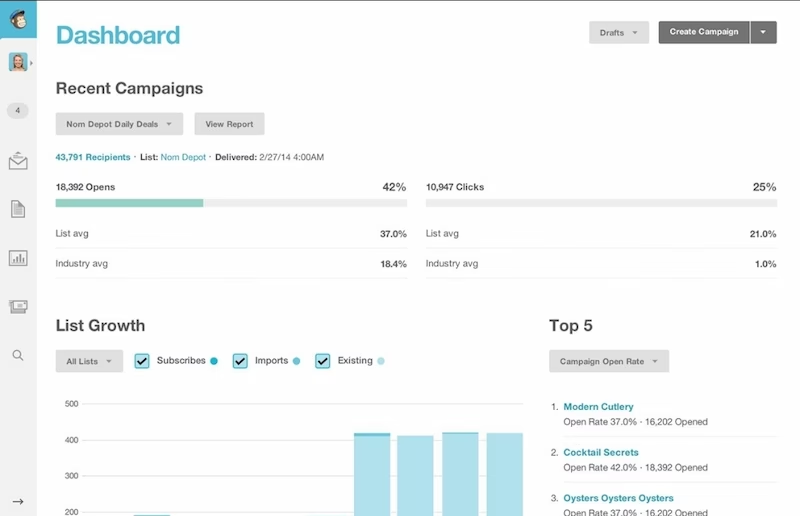
Top pick under $50: Mailchimp (Free-$17.50/month)
- Why it wins: Free tier handles up to 500 contacts + unlimited campaigns, AI-assisted copywriting, automation sequences.
- Best for: Solopreneurs building an email list or doing monthly newsletters.
- Real example: A freelance coach sent one email per week to 300 past clients. Over 6 months, that list of “cold” contacts generated 12 new projects (~$40K in revenue) with zero paid ads. The tool cost $0 until her list hit 500, then $6.50/month. ROI: infinite.
- Cost: Free (up to 500 contacts)
Pros:
- Free forever up to 500 contacts with unlimited email sends
- AI-assisted copywriting built into the editor
- Automation sequences available even on the free plan
Cons:
- Pricing jumps significantly after 500 contacts
- Email deliverability has declined in recent years compared to competitors
- Interface has become more complex with recent updates
Alternative: Brevo (Free-$20/month for advanced automation)
- Slightly better UI than Mailchimp
- Lower contact limits on free tier (300), but more advanced automation
Budget rule: Start free. Upgrade to $17.50/month once you have 300+ emails and want automation. This one often pays for itself.
5. Social Media Scheduling (Important, but optional)
You don’t need to post daily, but consistency matters. Tools let you batch-create and schedule.
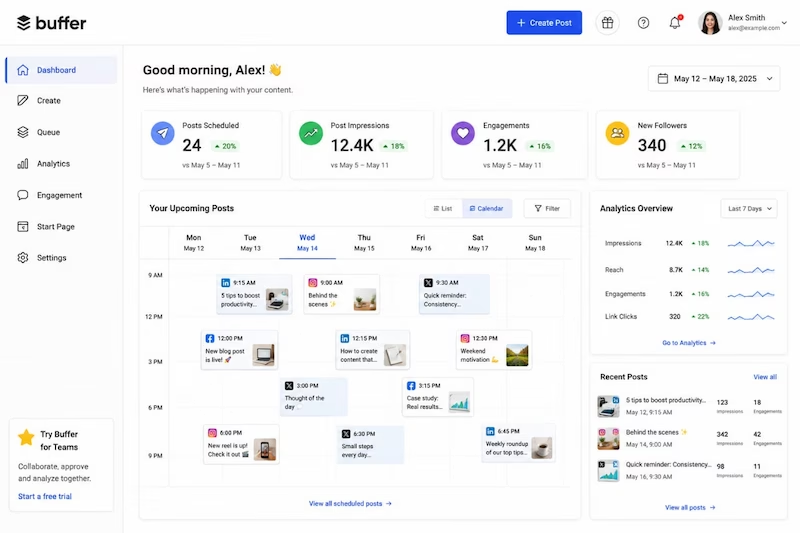
Top pick under $50: Buffer (Free-$15/month)
- Why it wins: Simple, beautiful interface, schedules to all major platforms, shows you optimal posting times, analytics that matter.
- Best for: Solopreneurs who want to post consistently without living on social.
- Real example: A freelance designer scheduled 1 week of content every Sunday (30 minutes of work). Buffer spread those posts across Twitter, LinkedIn, and Instagram over 7 days. Her engagement went up 25% because her content was consistent. Monthly cost: free (until she needed advanced analytics).
- Cost: Free (or $15/mo for Professional tier)
Pros:
- Clean, simple interface that takes under 15 minutes to learn
- Shows optimal posting times based on your audience data
- Free plan covers three social channels, enough for most solopreneurs
Cons:
- Analytics on the free plan are very limited
- No social inbox on the free tier; cannot reply to comments from Buffer
- Lacks the depth of reporting that Hootsuite or Zoho Social offer
Alternative: Zoho Social (Free-$40/month)
- More powerful than Buffer, cheaper for multiple accounts
- Better for SMBs managing multiple brands
Alternative: Hootsuite (Free-$99/month)
- Industry standard, but overengineered for solopreneurs
- Skip unless you manage 10+ accounts
Budget rule: Use free tier for first 3 months. If you’re posting regularly, upgrade to Buffer Professional ($15/mo) or Zoho Social ($30/mo). ROI: builds audience = more inbound leads.
6. Writing & Content Creation (Nice to have, but valuable)
If content is core to your business (blogs, emails, social): AI writing tools save 10+ hours/month.
Top pick under $50: ChatGPT Plus ($20/month)
- Why it wins: Best general-purpose AI, works for outlines, drafts, editing, brainstorming, coding. Not specialized but reliable.
- Best for: Anyone writing regularly (blogs, emails, sales pages, social).
- Real example: A freelance writer used ChatGPT to outline 4 blog posts and generate rough drafts. She spent 2 hours editing/fact-checking instead of 8 hours writing from scratch. At $75/hour, that’s $450 in saved time per week. The $20/month tool paid for itself in less than an hour of work.
- Cost: $20/month
Pros:
- Best general-purpose AI for writing, brainstorming, editing, and research
- Works across every business function, not limited to one category
- $20 per month pays for itself in under an hour of saved writing time
Cons:
- Outputs still require editing and fact-checking before publishing
- No built-in brand voice training, each session starts fresh
- Free tier is good enough for light users, making the paid upgrade less urgent for some
Alternative: Editpad ($12.99-$19/month)
- Paraphraser, summarizer, plagiarism checker
- Better for editing + optimization than creation
Alternative: Jasper ($49/month)
- Purpose-built for marketing copy, brand voice training
- Overkill unless copy is your main product
Budget rule: $0 to start. If writing takes 20+ hours/month, $20/month for ChatGPT Plus pays for itself immediately. Otherwise, skip and use free ChatGPT.
7. Design & Graphics (Nice to have)
You can’t always hire a designer, but you can look polished with templates.
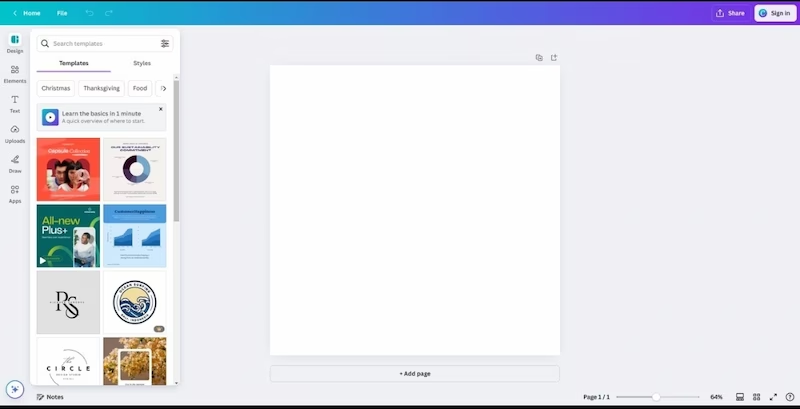
Top pick under $50: Canva Pro ($180/year = $15/month)
- Why it wins: 10,000+ templates, drag-and-drop, AI image generator (Magic Edit), brand kit to keep visuals consistent.
- Best for: Social posts, presentations, lead magnets, simple graphics.
- Real example: A service provider was paying $50-$100 per custom graphic. Switched to Canva Pro templates, customized them in 10 minutes. Same look, $15/month instead of $500/month. The ROI was instant.
- Cost: $15/month (billed annually)
Pros:
- 10,000 or more templates covering every format a solopreneur needs
- Brand kit keeps all visuals consistent across platforms
- AI image generator and background remover built in
Cons:
- Annual billing required for the $15 per month price; month-to-month is more expensive
- Not suitable for complex illustration or advanced design work
- Some templates look generic without significant customization
Alternative: Freepik AI ($5.87-$26.38/month)
- AI image generation focus
- Better if you need unique custom images
Budget rule: $0-$15/month. Skip if your brand doesn’t rely on visuals. If you’re on social media or run landing pages, Canva Pro is worth it.
Quick Reference: Essential SaaS Tools Under $50 Per Month
| Tool | Category | Cost | Why | Setup Time |
| Wave | Invoicing | Free | Invoicing + basic accounting, forever free | 15 min |
| Trello | Project Management | Free | Visual task tracking, integrations | 20 min |
| Mailchimp | Free | Newsletter + automation for 500 contacts | 30 min | |
| ChatGPT Plus | Content | $20 | Drafting, brainstorming, editing | 5 min |
| Canva Pro | Design | $15/mo | Social posts, graphics, templates | 10 min |
| Buffer | Social Media | Free | Schedule posts consistently | 15 min |
| Total Monthly Cost | – | ⁓$50 | Complete professional stack | 90 min |
(Optional add-ons: Slack $5-$15/mo, Zoom $12/mo, or Airtable $20/mo if you outgrow Trello)
Real Case Study: How One Solopreneur Built a $50/Month Stack and Grew to 6-Figures
This case study shows exactly what happens when a solopreneur commits to the best SaaS tools available and builds a proper system around them.
Meet Sara: Virtual Assistant turned personal brand builder
The problem: Sara was juggling 8 clients across email, spreadsheets, and her brain. No two clients used the same platform. She was spending 15 hours/week on admin work, billing was chaotic, and she had no system to stay in touch with past clients.
Her tool stack (total cost: $48/month):
- Wave (Free) – invoices + expense tracking
- Trello (Free) – client projects organized by stage
- Mailchimp (Free) – quarterly “thinking of you” newsletters to past clients
- ChatGPT Plus ($20) – drafting proposals and client emails
- Canva Pro ($15) – social media graphics showing her work
- Slack (Free) – communication with contractors
- Loom (Free) – quick video walkthroughs for clients instead of long email explanations
What changed:
- Admin time cut in half (15 hours → 7 hours/week). She redirected those 8 hours to business development.
- Invoicing became automatic. Wave’s reminders meant no late payments. Her cash flow became predictable for the first time.
- Upsells started working. With Trello, she could see patterns in her work. She noticed “Social Media Management” was her most profitable service, so she created a Canva template pack, recorded a Loom demo, and added it as an add-on. 40% of clients now upgrade.
- Past clients came back. The quarterly newsletter cost zero dollars but generated 2 new projects/quarter at $3K each. Total: $6K/quarter from email alone.
- She started getting referrals. With more time and less stress, she actually followed up with past clients and asked for introductions. Referrals went from 1/month to 3-4/month.
The result: In 18 months, her revenue grew from $60K/year (8 clients at $625/month avg) to $180K/year (25 clients across retainers + one-off projects). The $50/month tool investment returned itself 3,600x.
The key insight: She didn’t optimize for the cheapest tools. She optimized for her biggest bottleneck-admin work and visibility into cash flow. One good tool (Wave + Trello) solved 60% of her problems. The rest (email, content, design) expanded what she could offer.
How to Choose Your Starter Stack (Start Here)
You don’t need all seven categories right away. Here’s how to prioritize:
Step 1: Identify Your Biggest Pain
Ask yourself, “What takes me 20+ hours/month that a tool could automate or simplify?”
- Spending 5 hours chasing invoices? Start with Wave.
- Juggling 5+ projects? Start with Trello.
- Sending 50+ emails a week? Start with Slack or email automation.
Step 2: Pick One Tool. Use It for 30 Days.
Don’t buy a stack. Don’t integrate everything. Pick the one tool solving your biggest problem and live with it for a month. Learn it. Develop a habit.
Step 3: Add Tools Incrementally
After 30 days, evaluate: Did this solve the problem? Do I want to keep it? Then layer in the next tool.
Why this matters: Buying 5 tools at once is noise. Adopting one tool deeply is momentum.
Starter Stack vs. Growth Stack
For Solo Bootstrapping (Month 1-3)
| Tool | Cost | Why |
| Wave | Free | Invoicing + basic accounting |
| Trello | Free | Project tracking |
| Gmail | Free | Email (with filters) |
| ChatGPT | Free | Writing & brainstorming |
| Total | $0 | Enough to run a real business |
If you want to add one paid tool:
ChatGPT Plus ($20), if writing is core to your work.
For Growing Solopreneurs (Months 6-12, $30-$50/month)
| Tool | Cost | Why |
| Wave | Free | Invoicing + accounting |
| Trello | Free | Project tracking |
| Mailchimp | Free | Email marketing |
| ChatGPT Plus | $20 | Content creation & strategy |
| Canva Pro | $15 | Social + graphics |
| Buffer | Free | Social media scheduling |
| Total | ⁓$35 | Ready to scale to 6-figures |
Integration = Superpower
The best stacks aren’t just good individual tools-they talk to each other.
Pro integrations under $50/month:
- Zapier Free tier (connects Wave → Mailchimp, so new clients auto-enter email campaigns)
- Gmail filters (organize client emails into folders, no tool needed)
- Trello + Slack (native integration, task updates hit Slack automatically)
- Mailchimp + Canva (schedule social content, email campaigns from one place with proper planning)
- Wave + Stripe (invoices auto-generate from payments)
The time saved by integrating beats the time saved by individual tools.
Sources
- Flowlu 2026 Solopreneur Productivity Study —
https://www.flowlu.com - G2 SaaS Tool Reviews and Ratings —
https://www.g2.com - Capterra Software Reviews —
https://www.capterra.com
FAQs: Common Objections & Answers
Q: Aren’t these tools going to lock me in and force upgrades?
A: Most have generous free tiers (Wave, Trello, Mailchimp, Buffer, ChatGPT free). You can run a real business on free forever. When you upgrade, it’s because you hit a real limit, not because the free tier becomes unusable. That’s how you know a tool is worth paying for.
Q: What if I outgrow these tools?
A: You will, eventually. And that’s good. It means your business grew. By then, you’ll have revenue to invest in more powerful tools. Airtable ($20/mo) replaces Trello. Klaviyo ($20+/mo) replaces Mailchimp. HubSpot Pro ($50/mo) consolidates CRM + email. None of this is sunk cost; it’s a scaling ladder.
Q: Can I use all-in-one tools like Flowlu instead?
A: Yes. All-in-one tools (Flowlu, Moxie) handle invoicing + CRM + projects in one place. Upside: fewer login screens. Downside: you’re paying for features you don’t use, and switching is harder if one feature doesn’t fit. Most solopreneurs start specialized and graduate to all-in-one as they scale past $100K revenue.
Q: Do I really need email marketing?
A: If you’re service-based (freelance, consulting, coaching), email is your best asset. You control it (unlike social media). One good email campaign pays for tools for months. For product businesses, still yes, but less urgent than invoicing or project tracking.
Q: What about AI tools for everything?
A: ChatGPT Plus ($20) covers most needs. Specialized tools (Jasper for copy, Typeface for brand-aligned content) are better if that’s your main work. But they’re overkill for a bootstrapping solopreneur; ChatGPT does 80% of what they do.
Q: How do I know if a free tool will disappear or lose features?
A: Bet on tools backed by venture funding or large companies:
- Wave (backed by Waveapps, profitable)
- Trello (owned by Atlassian, public company)
- Mailchimp (owned by Intuit)
- ChatGPT (OpenAI)
Avoid free tools that are 3-person side projects unless you can live without them.
The Bottom Line
You don’t need an expensive stack to run a professional solopreneur business. You need:
- One tool for invoicing (Wave, free)
- One tool for projects (Trello, free)
- One tool for communication (email filters + Slack free, or Moxie bundled)
- Optional: One tool for content (ChatGPT Plus, $20)
That’s $0-$20/month and covers 90% of solopreneur needs. Everything else is optimization.
Start there. Use what you build for 30 days. Then add more tools if you hit real limits.
The solopreneurs winning in 2026 did not buy every tool on the market. They found the best SaaS tools for solopreneurs that fit their workflow, mastered them, and built their business on a rock-solid foundation.
Want help picking the right stack for your specific business?
Check our guides on the best tools for freelancers and the best AI tools in 2026. Or start free with any of the tools above—all have 7-30 day trials.