
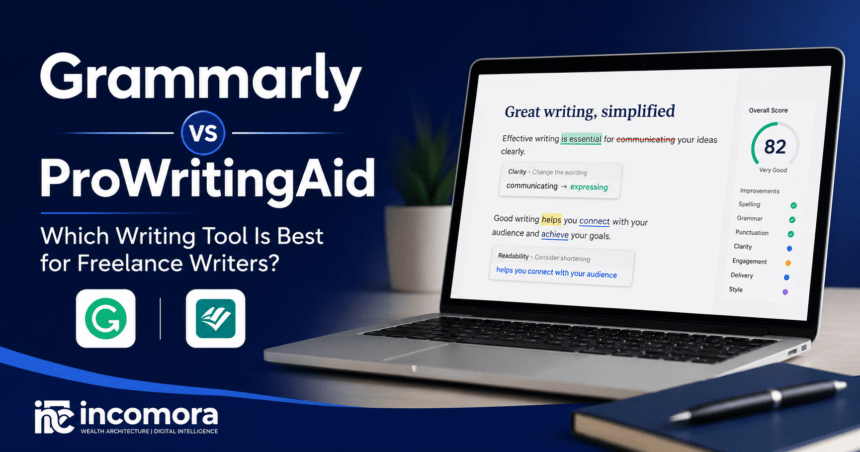
Which Is Better: Grammarly or ProWritingAid?
Grammarly is usually better for freelance writers who want fast, real-time suggestions on grammar, clarity, and tone while working across emails, browsers, documents, and content platforms. ProWritingAid is usually better for long-form writers who want deeper feedback on readability, repetition, sentence structure, pacing, and style. Writers on a limited budget can combine LanguageTool, Hemingway Editor, Google Docs, Microsoft Editor, and ChatGPT for a capable free editing workflow.
You finish a 3,000-word client article and feel confident about the final draft. Then the client replies:
“Great content, but there are still grammar mistakes, and the tone feels a little off.”
For freelance writers, feedback like this does more than create extra work. It can affect client trust, reduce repeat business, and slow down your workflow.

Most freelancers do not have a professional editor reviewing every assignment before delivery. That makes choosing the right writing assistant one of the simplest ways to improve the quality of your work while saving time.
Grammarly and ProWritingAid are two of the most popular writing tools available today, but they solve different problems. Grammarly focuses on fast, real-time editing across websites and applications, while ProWritingAid provides deeper reports designed to improve writing style, readability, and long-form structure.
If you are working with a limited budget, there are also capable free alternatives such as LanguageTool, Hemingway Editor, Google Docs, Microsoft Editor, and ChatGPT.
This guide compares Grammarly vs ProWritingAid, reviews the best free alternatives, and explains which writing tool usually works best for different freelance writing workflows.
Read Also: Best AI Tools in 2026 to Work Smarter, Earn More, and Stay Ahead
How We Evaluated These Writing Tools
Choosing a writing assistant is more than comparing feature lists. Freelance writers need software that improves accuracy without interrupting their workflow.
For this guide, Incomora compared each tool using the factors that matter most during real freelance writing workflows using the factors that matter most during real client work:
- Grammar, spelling, and punctuation accuracy
- Clarity and tone suggestions
- Readability improvements
- Long-form editing capabilities
- Browser, desktop, and document integrations
- Ease of use
- Free-plan limitations
- Pricing and overall value
Rather than relying on marketing claims, our recommendations focus on practical use cases. No writing assistant is perfect for every freelancer, so the goal is to help you choose the one that best fits your writing style, budget, and daily workflow.
Editorial note: Software features, pricing, and availability change regularly. Always check the provider’s official website before subscribing or making a purchasing decision.
Last checked: August 2026
See Also: The State of AI in 2026: What’s Changing and What It Means for You
Quick Comparison: Grammarly vs ProWritingAid vs Free Alternatives
If you’re short on time, here’s a quick overview.
| Tool | Usually Best For | Free Version | Main Limitation |
| Grammarly | Fast everyday editing | Yes | Premium plans can be expensive for some freelancers |
| ProWritingAid | Long-form editing and detailed reports | Yes | More complex interface |
| LanguageTool | Free grammar and spelling checks | Yes | Advanced features require Premium |
| Hemingway Editor | Improving readability | Yes | Not a complete grammar checker |
| Google Docs | Basic proofreading while writing | Yes | Limited style analysis |
| Microsoft Editor | Microsoft Word users | Yes | Best features require Microsoft 365 |
| ChatGPT | Rewriting and writing feedback | Yes | Not a real-time grammar checker |
Key Takeaways
- Grammarly usually works best for quick, real-time editing across websites and documents.
- ProWritingAid is better suited to long-form writing and detailed editorial feedback.
- LanguageTool is one of the strongest free Grammarly alternatives.
- Hemingway Editor improves readability but should be used alongside a grammar checker.
- Combining multiple free tools can produce an effective editing workflow without paying for a subscription.
- The best writing tool depends on your writing style, workload, and budget, rather than on any one platform being universally better.
What Freelance Writers Need from a Writing Assistant
A grammar checker should do more than highlight spelling mistakes.
Freelance writers often work under tight deadlines while producing blog posts, landing pages, email campaigns, product descriptions, reports, and long-form articles. A useful writing assistant should improve quality without slowing down the writing process.
The most valuable features include:
- Grammar, spelling, and punctuation correction
- Tone and clarity suggestions
- Readability analysis
- Word choice and repetition detection
- Style improvements
- Integration with common writing tools
- Fast review and approval of suggestions
A writing assistant is only valuable if it helps you produce cleaner drafts faster. If reviewing every suggestion becomes more work than writing the article itself, the tool is unlikely to fit your workflow.
Grammarly Review
Grammarly usually works best for freelance writers who want quick corrections while drafting emails, blog posts, proposals, or client documents.
Grammarly has become one of the most widely used writing assistants because it works across browsers, desktop applications, mobile devices, and popular writing platforms.
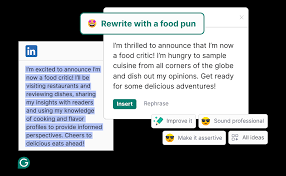
Instead of waiting until you’ve finished writing, Grammarly highlights grammar, spelling, punctuation, clarity, and tone suggestions in real time.
For freelancers juggling multiple clients and deadlines, this convenience can significantly reduce editing time.
Pros
- Fast real-time grammar checking
- Easy to learn and use
- Excellent browser extensions
- Helpful clarity and tone suggestions
- Works across many websites and applications
Cons
- Premium subscription may not suit every budget
- Less detailed than ProWritingAid for long-form editing
- Suggestions still require human judgment
Usually Best For
- Freelance writers producing articles quickly
- Copywriters
- Bloggers
- Email marketers
- Writers who work across several online platforms
Verdict
Grammarly usually works best for freelancers who value speed, simplicity, and convenience.
If your priority is producing clean client work with minimal editing effort, it remains one of the strongest all-purpose writing assistants available.
Discover: Best Freelance Websites in 2026: Upwork vs Fiverr vs Toptal Compared
ProWritingAid Review
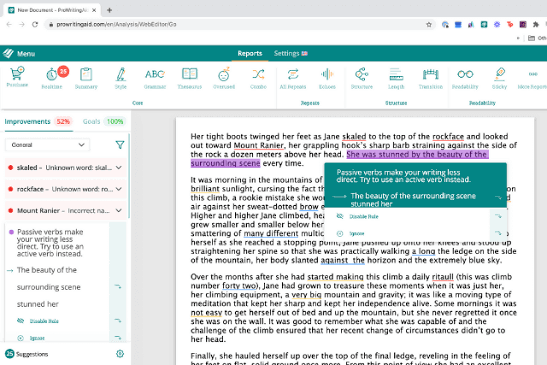
ProWritingAid usually works best for freelance writers who produce long-form content and want detailed reports on style, readability, pacing, and structure.
Unlike Grammarly, ProWritingAid behaves more like a writing coach than a simple grammar checker.
It analyzes your writing through dozens of reports covering readability, overused words, sentence variety, sticky sentences, transitions, pacing, and style.
This deeper feedback makes it particularly useful for freelancers writing long blog posts, white papers, reports, ebooks, and manuscripts.
Pros
- Excellent long-form editing
- Detailed writing reports
- Strong readability analysis
- Helps writers improve over time
- Annual and lifetime payment options
Cons
- Steeper learning curve
- Interface can feel busy for new users
- Reviewing reports takes more time
Usually Best For
- Long-form blog writers
- Content marketers
- Ghostwriters
- Book authors
- Writers who want detailed editorial feedback
Verdict
ProWritingAid usually provides more value for writers who regularly produce long-form content and want detailed feedback that improves both individual articles and long-term writing skills.
Learn More: Claude vs ChatGPT vs Gemini (Best Free AI Writing Tools Compared)
Grammarly vs ProWritingAid
Grammarly usually works best for freelancers who want fast, real-time editing with minimal effort. ProWritingAid is generally better for writers who want deeper editorial reports and are willing to spend more time improving long-form content.
Although both tools correct grammar and spelling, they approach editing differently. Grammarly prioritizes speed and simplicity, while ProWritingAid focuses on helping writers understand and improve their writing habits over time.
Feature Comparison
| Feature | Grammarly | ProWritingAid |
| Ease of use | Very easy | Moderate |
| Grammar checking | Strong | Strong |
| Style feedback | Good | More detailed |
| Readability insights | Good | More comprehensive |
| Real-time editing | Excellent | Good |
| Learning value | Moderate | High |
| Browser support | Excellent | Good |
| Long-form editing | Good | Excellent |
| Best suited for | Fast editing | Deep editing |
Grammar Accuracy
Both tools catch spelling, punctuation, and grammar mistakes effectively.
Grammarly usually performs better during real-time writing because suggestions appear immediately while you type. ProWritingAid also offers reliable grammar checking, but its strength lies in analysing complete documents rather than providing rapid corrections.
Readability and Writing Style
This is where ProWritingAid usually stands out.
Instead of correcting only grammar, it analyses:
- Sentence variety
- Overused words
- Readability
- Sticky sentences
- Pacing
- Dialogue balance
- Style consistency
For freelance writers producing long articles, these reports can significantly improve the quality of client work.
Speed
If speed matters, Grammarly usually fits better.
Suggestions appear almost instantly whether you’re writing emails, blog posts, proposals, or documents.
ProWritingAid’s deeper analysis naturally takes longer because it processes much more information.
Learning Value
Writers who want to improve over time will usually benefit more from ProWritingAid.
Its reports explain recurring writing habits, making it easier to identify patterns rather than simply fixing individual mistakes.
Grammarly explains corrections well, but its primary goal is helping you finish documents quickly.
Compare: Wise vs Payoneer vs PayPal: Which Payment Tool Saves Freelancers More?
Which Writing Tool Is Best for What?
| If You Need… | Best Choice | Why |
| Fast, real-time editing | Grammarly | Provides quick grammar, clarity, and tone suggestions while you write |
| Long-form editing | ProWritingAid | Offers deeper reports on readability, repetition, pacing, and writing style |
| A free grammar checker | LanguageTool | Strong grammar and spelling support with a useful free plan |
| Better readability | Hemingway Editor | Highlights complex sentences, passive voice, and difficult wording |
| Rewriting and tone improvements | ChatGPT | Useful for rewriting passages, adjusting tone, and suggesting clearer wording |
For most freelance writers, Grammarly is the stronger choice for everyday editing, while ProWritingAid suits writers who need deeper long-form analysis.
Best Free Grammarly Alternatives
A paid writing assistant is not essential for producing high-quality work. Several free tools can handle everyday proofreading and readability tasks surprisingly well.
LanguageTool
Usually best for: Freelancers looking for a capable free grammar checker.
LanguageTool is one of the strongest free Grammarly alternatives available today.
It checks grammar, spelling, punctuation, and style while supporting multiple languages. The interface is clean, easy to use, and works well for everyday client writing.
Pros
- Free plan available
- Good grammar suggestions
- Multilingual support
- Simple interface
Cons
- Advanced features require Premium
- Fewer integrations than Grammarly
Verdict
If you’re looking for a free grammar checker, LanguageTool is one of the strongest options available.
Hemingway Editor
Usually best for: Improving readability.
Hemingway Editor focuses on one specific goal: making your writing easier to read.
Instead of correcting grammar, it highlights:
- Long sentences
- Passive voice
- Complex wording
- Difficult paragraphs
- Adverb overuse
Many freelance writers use Hemingway after proofreading because readability often determines whether content keeps readers engaged.
Pros
- Excellent readability feedback
- Easy to understand
- Helps simplify writing
Cons
- Not a complete grammar checker
- No spelling correction
Verdict
Use Hemingway alongside Grammarly, ProWritingAid, or LanguageTool rather than replacing them.
Google Docs
Usually best for: First drafts and basic proofreading.
Google Docs includes built-in grammar and spelling suggestions while allowing writers to collaborate with clients in real time.
Although its proofreading is fairly basic, it catches many common writing mistakes before the editing process begins.
Pros
- Completely free
- Cloud-based
- Easy collaboration
- Automatic saving
Cons
- Limited style suggestions
- Basic proofreading only
Microsoft Editor
Usually best for: Writers who already use Microsoft Word.
Microsoft Editor integrates directly into Word and Outlook, providing spelling, grammar, and clarity suggestions while writing.
It works well inside the Microsoft ecosystem, although some advanced features require Microsoft 365.
Pros
- Built into Word
- Familiar interface
- Good grammar support
Cons
- Best features require Microsoft 365
- Limited outside Microsoft’s ecosystem
ChatGPT
Usually best for: Rewriting, improving tone, and explaining edits.
Unlike traditional grammar checkers, ChatGPT reviews writing conversationally.
It can:
- Rewrite awkward paragraphs
- Improve tone
- Explain grammar mistakes
- Suggest stronger headlines
- Simplify complex writing
- Generate alternative wording
However, ChatGPT should complement—not replace—a dedicated grammar checker. It may occasionally change the intended meaning or introduce inaccuracies, so every suggestion should be reviewed before publication.
Pros
- Excellent rewriting assistance
- Helpful explanations
- Flexible editing support
- Useful for brainstorming
Cons
- Not a real-time grammar checker
- Suggestions require human review
- Can occasionally misinterpret context
Verdict
ChatGPT works best as the final editing layer after grammar and spelling have already been checked.
Read Also: How to Start Freelancing: The Complete Beginner’s Guide (2026)
Free Workflow for Freelance Writers
If you’re working with a limited budget, you can still build an effective editing process without paying for multiple subscriptions.
A practical workflow looks like this:
Step 1
Write your first draft in Google Docs or Microsoft Word.
Step 2
Run the document through LanguageTool to catch grammar, punctuation, and spelling issues.
Step 3
Paste the revised draft into Hemingway Editor to improve readability and sentence structure.
Step 4
Use ChatGPT to review tone, clarify awkward sections, or suggest stronger wording where necessary.
This combination provides a surprisingly capable editing workflow without requiring a premium subscription.
Pricing at a Glance
Pricing and plan features can change, so always confirm the latest information on each provider’s official website before subscribing.
| Tool | Free Plan | Paid Options | Official Pricing / Features |
| Grammarly | Yes | Grammarly Pro offers monthly, quarterly, and annual billing. Grammarly currently lists Pro at $30/month or $144/year in the US. | Grammarly Pro pricing and features |
| ProWritingAid | Yes | Premium and Premium Pro plans are available, with monthly, annual, and lifetime options. | ProWritingAid pricing |
| LanguageTool | Yes | Premium adds enhanced grammar, punctuation, style checking, larger text limits, and additional writing features. | LanguageTool Premium and features |
| Hemingway Editor | Yes | Hemingway Editor Plus is subscription-based, while the desktop Hemingway Editor is also available as a one-time purchase. | Hemingway Editor Plus pricing |
| Microsoft Editor | Yes | Basic spelling and grammar features are available free. Advanced grammar and style refinements are available with qualifying Microsoft 365 subscriptions. | Microsoft Editor features |
| ChatGPT | Yes | Paid consumer plans include ChatGPT Go, Plus, and Pro, with plan availability and features varying by region. | ChatGPT pricing |
Pricing note: Prices, plan names, included features, regional availability, taxes, and promotions can change. Always check the provider’s official pricing page before purchasing.
Last checked: August 2026.
Which Tool Should You Choose?
The best writing assistant depends on how you work rather than which platform has the longest feature list.
Choose Grammarly if:
- You want fast grammar and spelling corrections while writing.
- You work across websites, Google Docs, emails, and content management systems.
- You prefer a simple interface with minimal setup.
- You write blog posts, marketing copy, emails, or client proposals every day.
- You want a writing assistant that fits naturally into your workflow.
Grammarly usually works best for freelancers who value speed, convenience, and consistent proofreading.
Choose ProWritingAid if:
- You regularly write long-form articles, reports, or ebooks.
- You want detailed reports that improve readability and writing style.
- You are interested in learning from your writing habits over time.
- You do not mind spending extra time reviewing suggestions.
ProWritingAid usually suits writers who treat editing as part of the writing process rather than the final step.
Choose Free Tools if:
- You are just starting your freelance writing business.
- You only need occasional proofreading.
- You are comfortable combining multiple tools.
- You are not ready to pay for a monthly subscription.
A combination of Google Docs, LanguageTool, Hemingway Editor, and ChatGPT can create a capable editing workflow without increasing your software costs.
Final Recommendation
Choosing between Grammarly vs ProWritingAid is not about finding one perfect writing assistant. It is about choosing the tool that matches the way you work. There is no single writing assistant that is perfect for every freelance writer.
If you value speed, convenience, and real-time proofreading, Grammarly remains one of the strongest options for freelance writers.
If your work involves long-form articles, detailed editing, or improving your writing over time, ProWritingAid offers deeper analysis that many experienced writers appreciate.
For freelancers on a tighter budget, free alternatives such as LanguageTool, Hemingway Editor, Google Docs, Microsoft Editor, and ChatGPT can provide an effective editing workflow when used together.
Whichever tool you choose, remember that writing assistants are designed to support your work, not replace your judgment. Reviewing suggestions carefully, maintaining your own writing voice, and understanding your client’s expectations will always matter more than the software itself.
Frequently Asked Questions
Is ProWritingAid better than Grammarly?
It depends on what you write.
ProWritingAid usually performs better for long-form writing because it provides detailed reports on readability, sentence structure, repetition, pacing, and style. Grammarly usually works better for fast, real-time editing across websites and applications.
What is better than Grammarly but free?
LanguageTool is one of the strongest free Grammarly alternatives because it provides grammar, spelling, and style suggestions without requiring a paid subscription.
Google Docs and Microsoft Editor are useful for basic proofreading, while Hemingway Editor focuses on improving readability rather than correcting grammar.
Is Grammarly still worth it?
For many freelance writers, yes.
If writing is part of your income, Grammarly can save editing time and help reduce grammar and clarity issues before client delivery. Writers with lighter workloads may find that free alternatives are enough for their needs.
Do professional authors use Grammarly?
Many professional writers, editors, and content creators use Grammarly as part of their editing process.
However, it is rarely the only tool they rely on. Long-form writers often combine Grammarly with editing software such as ProWritingAid or work with human editors to review structure, accuracy, and overall quality.
Can ChatGPT replace Grammarly?
Not completely.
ChatGPT is excellent for rewriting awkward paragraphs, improving tone, explaining grammar rules, and suggesting clearer wording. However, it does not provide the same real-time grammar checking experience that Grammarly offers across browsers and writing applications.
Many freelance writers use ChatGPT after completing grammar checks rather than instead of them.
Which grammar checker is best for beginners?
Grammarly is usually the easiest option for beginners.
Its interface is straightforward, suggestions appear while you write, and explanations are generally easy to understand without requiring advanced editing knowledge.
Which tool is best for blog writing?
If you write short or medium-length blog posts, Grammarly usually provides everything you need for fast proofreading.
If you regularly publish detailed articles or pillar content, ProWritingAid’s deeper reports on readability, repetition, and sentence variety may provide more value.
Should freelance writers pay for a grammar checker?
If freelance writing is a regular source of income, investing in a grammar checker can save editing time and help produce more polished work.
If you are just starting or working with a limited budget, free tools can provide a solid editing process until your workload grows.
Is LanguageTool better than Grammarly?
LanguageTool is one of the best free alternatives to Grammarly and offers good grammar and spelling support.
However, Grammarly generally provides more advanced writing suggestions, broader integrations, and stronger real-time editing features for English writing.
Is Grammarly better than Microsoft Editor?
Both tools improve grammar and spelling, but Grammarly generally provides more detailed suggestions for clarity, tone, and writing style.
Microsoft Editor works particularly well for writers who already use Microsoft Word and Microsoft 365 as part of their workflow.