
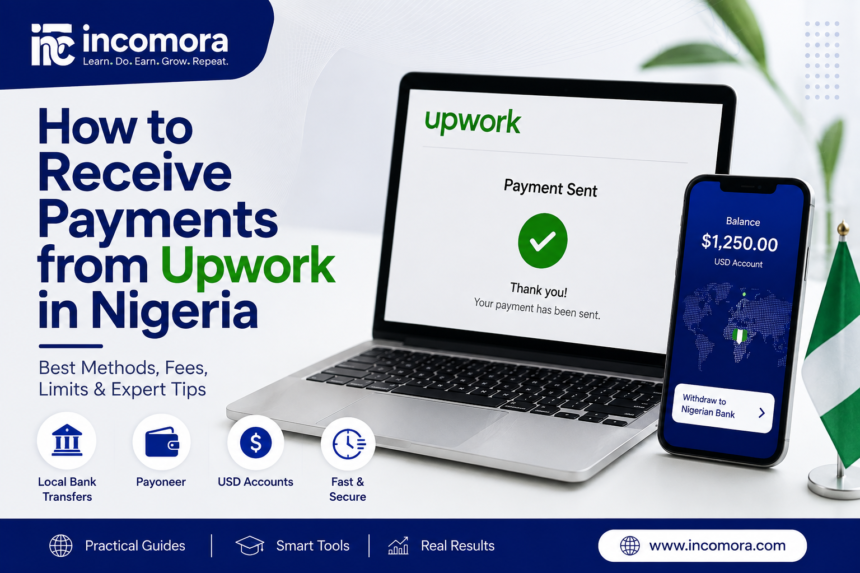
For Nigerian freelancers, landing an Upwork contract is only half the job. The next question is just as important: how do you actually receive your money without losing too much to fees, poor exchange rates, delays, or payment-method restrictions?
The good news is that Nigerians have several legitimate ways to receive Upwork earnings, including Direct to Local Bank, Payoneer, U.S. bank details through supported digital banks, and wire transfer. The best option depends on how much you are withdrawing, whether you want to keep your earnings in dollars, how quickly you need the money, and which payment methods are available on your Upwork account.
If you are trying to understand how to receive payments from Upwork in Nigeria, this guide compares the main methods, their fees, limits, speed, and practical use cases so you can choose the right route for your freelance income.
Important: Upwork fees, limits, processing times, and available withdrawal methods can change. Always check Settings → Withdrawals on your own Upwork account and the latest Upwork Help documentation before making a withdrawal.
Read Also: Best Freelance Websites in 2026: Upwork vs Fiverr vs Toptal Compared
Quick Answer: Best Upwork Payment Methods for Nigerians
| If you want to… | Method to consider |
| Receive naira directly into a Nigerian bank account | Direct to Local Bank |
| Minimize Upwork’s withdrawal fee | Direct to U.S. Bank, if available and eligible |
| Keep eligible funds in USD | An eligible U.S. bank account or supported USD account |
| Use one payment platform for multiple marketplaces | Payoneer |
| Send a large international bank transfer | U.S. Dollar Wire Transfer |
| Use a fintech USD account | A digital bank that Upwork accepts |
There is no single withdrawal method that is best for every Nigerian freelancer.
For beginners who simply want naira in a Nigerian bank account, Direct to Local Bank is usually the simplest starting point.
Freelancers who legitimately have an eligible U.S. bank account may consider Direct to U.S. Bank, while those who receive payments from several international marketplaces may find Payoneer more convenient.
Digital banks can also work where Upwork accepts the account details, but they require extra care around eligibility, transfer compatibility, and payment tracing.
TL;DR
- Nigerian freelancers can use the withdrawal methods available on their Upwork account, which may include Direct to Local Bank, Payoneer, Direct to U.S. Bank, accepted digital banks, and wire transfers.
- Direct to Local Bank currently costs $0.99 per withdrawal.
- Upwork currently lists a $3,000 Direct to Local Bank limit for Nigeria.
- Direct to Local Bank withdrawals should generally arrive within four business days. Upwork’s troubleshooting guidance says some local-bank payments can take up to six business days.
- Direct to U.S. Bank via ACH is currently free on Upwork, but you need a U.S. bank account that accepts ACH transfers. (Upwork Support) and generally takes two to five business days.
- As of August 14, 2026, Upwork lists Direct to U.S. Bank as free for freelancers with a U.S. tax address. Upwork says a $2.99 fee for freelancers with an international tax address will take effect September 1, 2026.
- Payoneer withdrawals typically arrive within 24 hours after the withdrawal method has been fully set up, although actual delivery can vary.
- Upwork charges $50 per U.S. dollar wire transfer. Wire transfers can take up to seven business days to reach your bank.
- Digital banks such as Wise may be accepted depending on your location and account details, but Upwork warns that digital-bank payment problems can be difficult or impossible to trace.
- The beneficiary name on your withdrawal account must match your verified Upwork name.
- The lowest Upwork withdrawal fee is not necessarily the lowest overall cost because exchange rates, bank fees, provider fees, and conversion charges can make a significant difference.
See Also: Wise vs Payoneer vs PayPal: Which Payment Tool Saves Freelancers More?
Upwork Payment Methods Available to Nigerians
Upwork says withdrawal methods vary by location and may change over time. The options shown inside your Settings → Get Paid page are the ones currently available to your account.
For Nigerian freelancers, the most relevant routes are generally:
| Payment Method | Upwork Fee | Typical Use Case | Main Limitation |
| Direct to Local Bank | $0.99 per withdrawal | Receiving directly into a Nigerian bank account | Nigeria limit of $3,000 per withdrawal |
| Direct to U.S. Bank (ACH) | Depends on tax-address status | Receive funds through an eligible U.S. bank account | Requires a qualifying U.S. bank account |
| Payoneer | Varies by provider/account | Marketplace freelancers already using Payoneer | Payoneer fees and FX may apply |
| U.S. Dollar Wire Transfer | $50 per withdrawal | Larger transfers where wire is necessary | High fixed fee |
| Digital bank account | Depends on provider | Freelancers using virtual USD accounts | Upwork may not be able to resolve transfer issues |
As of August 14, 2026, Upwork lists Direct to U.S. Bank as free for freelancers with a U.S. tax address. Upwork says a $2.99 fee for freelancers with an international tax address will take effect September 1, 2026.
1. Direct to Local Bank in Nigeria
For many beginners, Direct to Local Bank is the simplest way to withdraw Upwork earnings.
Upwork currently charges $0.99 per Direct to Local Bank withdrawal and lists a $3,000 withdrawal limit for Nigeria.
Current Nigeria withdrawal limit
Upwork currently lists a $3,000 maximum withdrawal limit for Nigeria under Direct to Local Bank.
That means if you have more than $3,000 available, you may need to split the withdrawal or use another eligible payment route.
How long does it take?
Upwork says Direct to Local Bank withdrawals should generally arrive within four business days. Its troubleshooting guidance notes that some local-bank payments can take up to six business days.
Usually best for
Direct to Local Bank is usually the better fit if:
- You want your earnings paid directly into a Nigerian bank account.
- You do not need to keep your balance in USD.
- Your withdrawal is under the current Nigeria limit.
- You want a simple setup with a relatively low Upwork fee.
Main downside
The Upwork fee may be small, but the final amount you receive can still depend on the exchange rate and any charges applied by your bank.
So do not compare only the $0.99 fee. Compare the final naira amount credited to you.
Discover: Freelancer Tools & Automation: Proven Guide to Working Smarter in 2026
2. Payoneer for Upwork in Nigeria
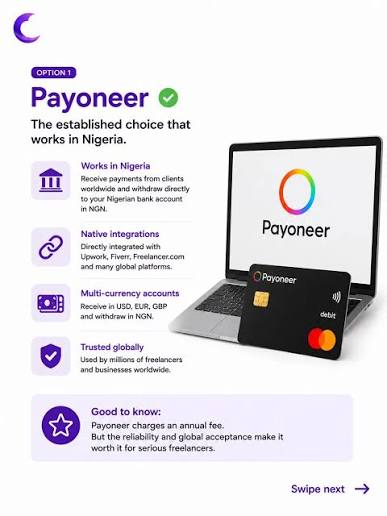
Payoneer is another established option for freelancers who want to withdraw Upwork earnings.
Upwork officially supports Payoneer as a withdrawal method for eligible freelancers outside the United States.
This can be useful for Nigerians who already receive payments from other marketplaces or international clients through Payoneer.
Upwork says Payoneer withdrawals typically arrive within 24 hours after the withdrawal method has been fully set up, although actual delivery can vary depending on Payoneer’s processing.
Why freelancers use Payoneer
Payoneer can make sense if:
- You already have an active Payoneer account.
- You receive money from multiple freelance platforms.
- You want access to foreign-currency receiving options.
- You do not want all your Upwork income converted immediately.
What to watch for
The cost is not just Upwork’s side of the transaction. Payoneer may apply its own charges depending on how you receive, convert, or withdraw money. Also, Payoneer isn’t automatically cheaper, but the total cost depends on both Upwork and Payoneer fees.
Before selecting it, check:
- Receiving fees.
- Withdrawal fees.
- Currency-conversion costs.
- Your local-bank payout options.
- The exchange rate available when converting to NGN.
For some freelancers, Payoneer can be more flexible than Direct to Local Bank. For others, the extra conversion or withdrawal layer can make it less attractive.
Our Subscribers Enjoyed Reading: How to Start Freelancing: The Complete Beginner’s Guide (2026)
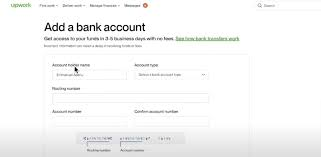
3. Direct to U.S. Bank Using Eligible USD Account Details
This is where many Nigerian freelancers look to fintech platforms.
Upwork currently lists Direct to U.S. Bank as free for freelancers with a U.S. tax address, but the bank account must accept ACH transfers. For freelancers with an international tax address, Upwork says a $2.99 fee per transfer will take effect from September 1, 2026.
That can make it attractive if you have legitimate U.S. account details issued in your name through an eligible provider. Some African fintech providers offer U.S. account details that freelancers use for this purpose.
For example, Raenest explains a setup process where users add their U.S. account details to Upwork under the Direct to U.S. Bank option.
Having U.S. routing and account numbers does not automatically mean an account is eligible. The account must accept ACH transfers, meet Upwork’s requirements, and match the freelancer’s verified identity.
Why this route can be attractive
You may prefer a USD account if:
- You want to keep part of your earnings in dollars.
- You receive income from multiple international platforms.
- You want more control over when you convert to naira.
- You prefer to compare FX rates before converting.
- You need USD for subscriptions, international payments, or business expenses.
Important name-matching rule
Your payment account should be in your name and match your verified Upwork identity.
Upwork specifically says the beneficiary name on withdrawal accounts must match the verified name on your Upwork account.
A name mismatch can delay setup or cause the withdrawal method to be flagged.
4. Digital Banks and USD Accounts
Some Nigerian freelancers use fintech platforms that provide USD account details.
However, having a USD account does not automatically make the account eligible for Upwork withdrawals.
Upwork says that, depending on location, it may accept digital bank accounts such as Wise or Facebank and other banks that partner with Wise for certain withdrawals, including ACH. Upwork recommends trying to add the account as a withdrawal method to determine whether it is accepted.
Therefore, Nigerian freelancers should treat digital-bank compatibility as something that must be verified, rather than assumed.
Digital-bank risks
Upwork warns that digital banks may use partner or intermediary banks to process payments.
This additional layer can make payment tracing difficult or, in some cases, impossible. Upwork says resolving digital-bank payment problems can take longer than normal.
Therefore, a fintech account that advertises U.S. banking details may still be unsuitable for Upwork.
What to check before using a digital bank
Before using a digital USD account, confirm that:
- The account is available to you in Nigeria.
- The account is in your legal name.
- Upwork accepts the account details.
- It supports the required transfer type.
- The provider permits payments from freelance platforms.
- You understand receiving and conversion fees.
- You understand how to withdraw funds to your Nigerian bank.
- You know the provider’s account limits.
- You understand the provider’s support process.
- You have a legitimate backup withdrawal method.
Best for
An accepted digital bank may suit freelancers who understand digital payments and want additional control over currency management.
However, test the account with a small withdrawal before relying on it for a large Upwork balance.
Can Nigerians Use Wise or Other Digital Banks for Upwork?
Potentially, yes, depending on location and account eligibility.
Upwork says it may accept digital bank accounts such as Wise, Facebank, and banks that partner with Wise for withdrawals, including ACH withdrawals. The practical test is whether Upwork accepts the banking details when you add the withdrawal method.
However, there is an important caveat.
Upwork warns that digital banks may use partner or intermediary banks. If a payment is delayed or fails, this can make tracing the transaction difficult or sometimes impossible. For that reason, digital-bank compatibility should be verified before relying on the account for large withdrawals.
That means digital-bank withdrawals may be convenient, but they can carry more support risk than using a traditional bank.
What to check before using a digital bank
Confirm:
- The account is in your legal name.
- It supports ACH if you are using Direct to U.S. Bank.
- Upwork accepts the routing and account details.
- The provider allows marketplace payments.
- You understand the provider’s receiving, conversion, and withdrawal fees.
Do not assume that having USD account details automatically makes an account suitable for Upwork.
5. U.S. Dollar Wire Transfer
Upwork also offers a U.S. Dollar Wire Transfer option, and it currently charges $50 per U.S. dollar wire transfer.
That makes it expensive for small withdrawals.
Upwork says it processes wires within one business day, but the transfer can take up to seven business days to reach the receiving bank.
For example, if you withdraw $500, the $50 Upwork wire fee alone represents 10% of the amount before any receiving-bank or intermediary fees.
On a $2,000 withdrawal, the same $50 fixed fee represents 2.5%.
Usually best for
Wire transfer generally makes more sense when:
- You are withdrawing a larger amount.
- Your receiving bank specifically supports international USD wires.
- You have a reason not to use ACH, Payoneer, or Direct to Local Bank.
For ordinary freelancer withdrawals, it is usually difficult to justify a $50 fixed fee when cheaper routes are available.
Real-World Example: Withdrawing $500 and $2,000
A practical comparison makes the difference easier to understand.
| Method | $500 Withdrawal | $2,000 Withdrawal |
| Direct to Local Bank | $0.99 | $0.99 |
| Direct to U.S. Bank | $0 or $2.99* | $0 or $2.99* |
| U.S. Dollar Wire | $50 | $50 |
| Payoneer | Varies | Varies |
| Digital USD Account | Varies | Varies |
These tables show why looking at only the platform fee can be misleading.
The final amount you keep depends on:
- The exchange rate.
- Provider fees.
- Bank withdrawal fees.
- Conversion costs.
- Incoming bank charges.
- Whether you keep the funds in USD or convert to NGN.
Remember, Direct to U.S. Bank pricing depends on the freelancer’s tax-address status. Upwork says the $2.99 international-tax-address fee takes effect September 1, 2026.
Which Upwork Withdrawal Method Is Usually Best in Nigeria?
There is no single best method for every Nigerian freelancer.
Choose Direct to Local Bank if:
- You want naira directly in your Nigerian bank account.
- You want a simple setup.
- You are withdrawing under the current $3,000 Nigeria limit.
- You do not need to keep money in dollars.
Choose Payoneer if:
- You already use Payoneer for other freelance platforms.
- You want a multi-platform payment setup.
- You are comfortable comparing Payoneer’s FX and withdrawal fees.
Choose a U.S. bank or eligible digital-bank route if:
- You want to keep some earnings in USD.
- You have legitimate ACH-enabled U.S. account details.
- You want to decide when to convert into naira.
- You understand the provider’s fees and support limitations.
Consider wire transfer if:
- You are withdrawing a large amount.
- Your bank specifically requires a USD wire.
- The $50 Upwork fee makes sense relative to the transaction size.
How to Set Up a Withdrawal Method on Upwork
Before setting up a withdrawal method, Upwork says you need to enter your tax information.
The exact interface can change, but Upwork’s current process is:
1. Log in to Upwork.
2. Go to Account Settings on desktop or Settings in the mobile app.
3. Open Withdrawals.
4. Under Withdrawal methods, select Add a method.
5. Select Set up for your preferred method.
6. Enter your bank or payment-provider information.
7. Carefully check your account details.
8. Make sure the beneficiary name matches your verified Upwork name.
9. Choose an automatic withdrawal schedule if you want one.
10. Save the withdrawal method.
11. Wait for the security activation period.
12. Make a withdrawal when your earnings become available.
Upwork currently says a new withdrawal method becomes active after three calendar days for security reasons.
Upwork also allows freelancers to add multiple withdrawal methods, which can provide a legitimate backup if the primary method becomes unavailable.
Upwork says a newly added Direct to Local Bank method generally becomes active after three days for security reasons.
Common Mistakes Nigerian Freelancers Should Avoid
To receive payments from Upwork in Nigeria as a freelancer, avoid these five mistakes.
- Using a different name on the payment account
This is one of the most avoidable problems.
Your bank or payment account should match your verified Upwork identity. Upwork specifically requires beneficiary-name matching for withdrawals.
- Choosing based only on the visible fee
A free ACH withdrawal can still lead to costs later if your payment provider charges for conversion or local withdrawal.
Likewise, a $0.99 local-bank withdrawal may still be attractive if the final exchange rate is competitive.
Always compare the final amount received, not just the first fee shown.
- Entering the wrong routing or bank information
Incorrect bank codes or account information can cause delays or failed transfers.
Upwork recommends confirming the details with your bank when you are unsure.
- Assuming every virtual USD account works
Some virtual-account providers restrict marketplace payments or change their banking partners.
Check the provider’s current documentation before adding the account.
- Relying on one withdrawal method
If freelancing is your main source of income, having a backup method can be useful.
For example, you might use:
- Direct to Local Bank for routine naira withdrawals.
- A USD account for holding foreign currency.
- Payoneer as an alternative marketplace payment route.
That reduces your dependence on one provider.
What About Raenest?
Raenest, formerly Geegpay, markets U.S. account details that can be linked to Upwork for eligible users. Its current help documentation also says users may need to update older bank details when its partner-bank arrangements change. (Raenest Help Center)
Raenest currently lists Nigerian NGN bank-account payouts at 0 NGN on its supported payout pricing page, although other receiving, conversion, or account-related charges can depend on how you use the service.
The important point is not that Raenest is automatically better than every alternative.
It is one possible route for freelancers who want USD account details and then want to convert or withdraw locally.
Compare its full cost and current banking details before choosing it.
How Long Does It Take to Receive Upwork Payments in Nigeria?
The timing depends on the method.
Direct to Local Bank should generally arrive within four business days once the withdrawal has been processed.
Other methods vary by provider, banking partner, currency, and account review.
Raenest, for example, currently advertises a FastTrack feature for eligible Upwork users that it says can deliver payments in under one hour. Because that is a provider-specific feature, eligibility and current terms should be confirmed directly with Raenest before relying on it.
What Is the Cheapest Way to Withdraw From Upwork in Nigeria?
If you compare only Upwork’s own fee, Direct to U.S. Bank ACH is currently free, while Direct to Local Bank costs $0.99 per transfer.
But that does not automatically make ACH the cheapest overall option.
You still need to consider:
- Receiving fees at the USD-account provider.
- Exchange-rate markup.
- Conversion charges.
- Local withdrawal charges.
- Any minimum fees.
For a freelancer who simply wants naira, Direct to Local Bank may be more straightforward.
For someone who wants to hold USD, an eligible ACH-enabled U.S. account may be more useful.
Can Upwork Pay Directly to a Nigerian Bank Account?
Yes, where Direct to Local Bank is available on your account.
Upwork currently supports Direct to Local Bank for Nigeria and lists a $3,000 transaction limit for the country. The current Upwork withdrawal fee is $0.99.
Can I Keep My Upwork Earnings in Dollars?
Yes, if you use an eligible withdrawal route that pays into a USD account rather than converting directly to naira.
That may include:
- Payoneer.
- An eligible U.S. bank account.
- Certain digital banks accepted by Upwork.
Availability depends on your account and the provider you use.
Which Upwork Payment Method Is Best?
Direct to Local Bank
Choose Direct to Local Bank if you:
- Want naira directly in your Nigerian bank account.
- Prefer a simple setup.
- Do not need to retain USD.
- Are within the applicable withdrawal limit.
- Want to avoid managing another payment platform.
Best for: Beginners and freelancers who mainly spend their earnings in Nigeria.
Payoneer
Choose Payoneer if you:
- Already use Payoneer.
- Receive money from multiple international platforms.
- Want a centralized international payment route.
- Understand Payoneer’s fees and exchange rates.
Best for: Freelancers using several international marketplaces.
U.S. Bank
Choose Direct to U.S. Bank if you:
- Have a qualifying U.S. bank account.
- Can receive ACH transfers.
- Want to receive eligible funds through a U.S. bank.
- Understand the applicable Upwork fee.
- Understand your bank’s requirements.
Best for: Freelancers who legitimately have access to a qualifying U.S. bank account.
Digital Bank
Consider a digital bank if:
- Upwork accepts the account details.
- The account is in your name.
- The provider supports the required transfer type.
- The provider permits freelance-platform payments.
- You understand the payment-tracing limitations.
Best for: Freelancers comfortable with digital banking who have verified an eligible account.
Wire Transfer
Consider a wire transfer if:
- You are withdrawing a relatively large amount.
- Your bank accepts international USD wires.
- You specifically need a wire.
- Other eligible methods are unavailable or unsuitable.
- Best for: Larger payments where the $50 fixed fee represents a relatively small percentage of the withdrawal.
Which Method Is Best for Beginners?
For many beginners, Direct to Local Bank is the easiest starting point because there is no need to manage another financial platform.
As your freelance income grows, you may decide that a USD account or Payoneer provides more flexibility.
Start with simplicity, then optimize for fees and currency control once you understand your cash flow.
Choose Direct to U.S. Bank if you legitimately have a qualifying U.S. bank account that accepts ACH transfers and the option is available on your Upwork account.
Before You Withdraw: A Simple Checklist
Before adding or changing your Upwork withdrawal method, confirm:
- Your Upwork profile is fully verified.
- Your payment-account name matches your Upwork name.
- The account accepts the type of transfer you selected.
- You understand Upwork’s fee.
- You understand the provider or bank’s additional fees.
- You know whether you will receive USD or NGN.
- You have checked the current exchange rate.
- You know the expected processing time.
- Your bank or provider still supports Upwork payments.
- You have a backup withdrawal method if the payment is urgent.
Final Verdict
If you are researching how to receive payments from Upwork in Nigeria, the best method depends on what you want to do with your earnings after withdrawal.
Direct to Local Bank is usually the simplest option for freelancers who want naira directly in their Nigerian bank account. Payoneer can make sense for freelancers who already use it across multiple marketplaces. An eligible U.S. bank or digital-bank account may be more useful if you want to hold USD and choose when to convert your earnings.
Wire transfer is available but usually makes more sense for larger payments because of Upwork’s current $50 fixed fee.
Do not choose a withdrawal method based only on the first fee you see. Compare the total cost, exchange rate, processing time, withdrawal limit, account support, and whether you want to hold dollars or naira.
The right method is the one that lets you receive your Upwork earnings reliably while keeping as much of your money as possible.
Frequently Asked Questions
How can Nigerians receive payments from Upwork?
Nigerian freelancers can use available methods such as Direct to Local Bank, Payoneer, eligible U.S. bank accounts, and other supported payment providers. The exact options available are shown under Settings → Get Paid on your Upwork account.
How do I withdraw money from Upwork in Nigeria?
Go to Settings → Get Paid, add an available withdrawal method, verify your banking or payment details, wait for the method to become active, and then request your withdrawal.
Can Upwork send money directly to a Nigerian bank?
Yes. Upwork currently supports Direct to Local Bank for Nigeria. The withdrawal fee is $0.99, and the current Nigeria limit is $3,000 per transaction.
Which Upwork payment method is cheapest in Nigeria?
Direct to U.S. Bank ACH is currently free on Upwork, while Direct to Local Bank costs $0.99. However, the cheapest final option depends on the receiving provider’s fees, exchange rate, and conversion costs.
Can Nigerians use Payoneer for Upwork?
Yes, eligible freelancers outside the U.S. can use Payoneer as an Upwork withdrawal method.
Can I use Wise to receive Upwork payments?
Upwork says digital bank accounts such as Wise may be accepted depending on your location and account details. However, Upwork warns that payment problems involving digital-bank intermediaries may be harder to trace or resolve.
How long does Upwork withdrawal take in Nigeria?
Direct to Local Bank withdrawals should generally arrive within four business days. Other methods vary depending on the provider and banking network.
What happens if my bank name does not match my Upwork name?
Your withdrawal method may be flagged or rejected. Upwork requires the beneficiary name on the withdrawal account to match the verified name on your Upwork profile.
Can I receive Upwork payments in USD in Nigeria?
You may be able to receive or retain USD by using an eligible U.S. bank account, Payoneer, or another supported USD-receiving provider. Availability depends on your Upwork account and the provider’s current terms.
Is Direct to Local Bank or Payoneer better for Nigerian freelancers?
Direct to Local Bank is usually simpler for freelancers who want naira directly. Payoneer may be more useful for freelancers who receive money from several international marketplaces or want greater flexibility with foreign currencies.